Understanding TradingView's Core Features
As the landscape of trading and investment evolves, platforms like TradingView emerge as essential tools for traders across various asset classes. With its robust features designed for both novice and experienced traders, TradingView simplifies the often overwhelming task of market analysis. By consolidating essential tools, it offers a comprehensive environment for effective trading and research.
What Makes TradingView Stand Out?
TradingView distinguishes itself by providing a user-friendly interface and a plethora of advanced analytical tools that cater to different types of traders. Its standout features include:
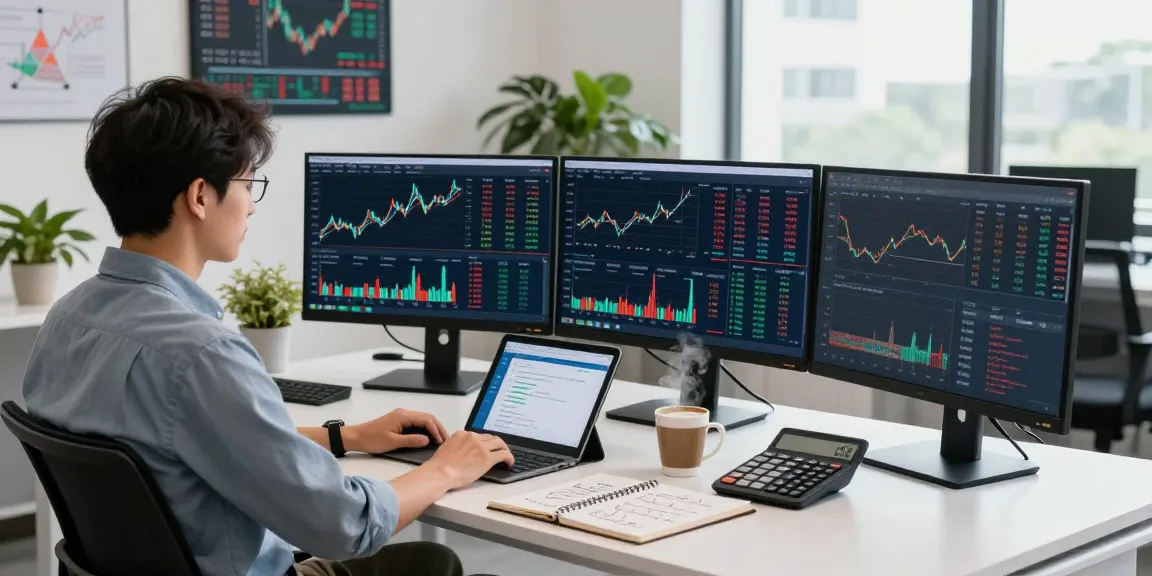
- Multi-Chart Layouts: Users can view multiple charts simultaneously, which is particularly useful for comparing different assets or timeframes.
- Custom Indicators: TradingView allows users to create and share custom indicators using Pine Script, its built-in programming language.
- Social Networking: Traders can engage with a large community, sharing insights and strategies, which fosters a collaborative trading environment.
Key Tools for Traders
TradingView is packed with tools designed to help traders make informed decisions. Some of these vital tools include:
- Heat Maps: These visual representations can quickly indicate which stocks or assets are performing well and which are underperforming.
- Strategy Tester: This feature allows traders to backtest their strategies against historical data to determine potential effectiveness before live trading.
- Alerts: Users can set alerts based on price movements or specific chart patterns to stay informed without needing to monitor the charts continuously.
Integrating TradingView with Your Trading Strategy
To maximize the benefits of TradingView, traders should think about how to integrate its various features into their personal trading strategies. For instance, using the charting tools alongside market news can help traders make more informed decisions based on both technical and fundamental analysis. Additionally, employing alerts based on specific indicators or price levels can optimize the timing of trades.
Setting Up Your TradingView Account
Creating Your TradingView Profile
Getting started with TradingView requires creating an account. Registration is straightforward and allows traders to customize their profiles, ensuring that their trading experience is tailored to their specific needs. After signing up, users can explore various features, including free access to a range of charts and community insights.
Configuring Essential Settings
Once your profile is set up, configuring the essential settings for your workspace is crucial. This includes selecting the preferred chart type, adjusting timeframes, and saving particular layouts that suit your trading style. By optimizing these settings, traders can streamline their analysis process and enhance efficiency.
Connecting with Brokers and Data Sources
TradingView offers connectivity with various brokers, allowing users to execute trades directly from the platform. This integration can simplify the trading workflow, as users can analyze charts, set alerts, and execute trades without switching between different applications. Ensuring that your broker is supported by TradingView is essential for a seamless trading experience.
Mastering Chart Analysis on TradingView
Using Candlestick Patterns Effectively
Candlestick patterns are fundamental tools for traders, providing insights into market sentiment and potential price movements. TradingView supports a variety of chart types, including candlestick charts, enabling traders to identify patterns such as dojis, hammers, and engulfing patterns effectively. Understanding these patterns can aid in making informed trading decisions.
Adding Indicators and Alerts
Indicators are powerful tools that can enhance trading strategies significantly. With TradingView, users can add numerous technical indicators such as Moving Averages, Bollinger Bands, and MACD. Moreover, setting alerts based on these indicators can keep traders informed about significant market movements without constantly watching the charts.
Customizing Your Workspaces for Optimal Performance
One of the most valuable features of TradingView is the ability to customize your workspace according to personal preferences. Traders can adjust layouts, save templates, and even create multiple workspaces tailored for different trading strategies. This customization promotes efficiency and allows for quick access to essential tools and information.
Developing Strategies with TradingView's Tools
Backtesting Your Trading Ideas
Backtesting is an integral part of developing a successful trading strategy. TradingView's Strategy Tester enables users to backtest their strategies against historical data, helping them gain insights into potential profitability and risk management. By analyzing past performance, traders can refine their strategies and increase their confidence when trading live.
Utilizing Pine Script for Custom Indicators
Pine Script is a unique feature of TradingView that allows users to code their own indicators and trading strategies. This flexibility enables traders to implement specific rules tailored to their trading styles. By leveraging Pine Script, users can create custom alerts and automate parts of their trading process, enhancing their efficiency.
Executing Trades Based on Data Insights
Making informed trades based on data insights is crucial for success. TradingView's comprehensive analytics tools provide real-time data that can influence trading decisions. Coupled with alerts, traders can execute trades based on predefined conditions, ensuring that they capitalize on market movements effectively.
Future Trends in Trading: What's Next for TradingView?
Emerging Features and Technologies in 2026
As technology continues to advance, TradingView is poised to integrate new features that enhance user experience and analytical capabilities. Expect to see improvements in AI-driven analytics and future data visualization tools that can provide predictive insights, aiding traders in better decision-making.
Impact of AI on Trading Strategies
The role of AI in trading strategies is growing. TradingView may incorporate AI tools that analyze historical data and market sentiment to generate automated trading suggestions. These advancements could offer traders enhanced predictive capabilities, making their strategies more robust and effective.
Community Insights: Learning from Other Traders
The TradingView community is an invaluable resource where traders can learn from one another. Future enhancements may include more interactive forums or live trading sessions, enabling users to gain insights from experts and peers alike. Sharing knowledge within the community can accelerate the learning curve for new traders.
How to Make the Most of TradingView's Community?
To fully leverage TradingView's community, traders should engage actively by sharing their analyses and strategies. Participating in discussions and commenting on other traders' ideas can foster a collaborative spirit. By doing so, traders can benefit from various perspectives, enriching their trading knowledge and experience.